
Lead Management software for Indian businesses
Lead management software captures enquiries from every source, removes duplicates, scores them and assigns each one to a salesperson before interest fades. It is used by sales and marketing teams that get leads from website forms, ads, WhatsApp, calls and trade shows. It covers the stage before qualification; once a lead is qualified it moves into a sales pipeline.
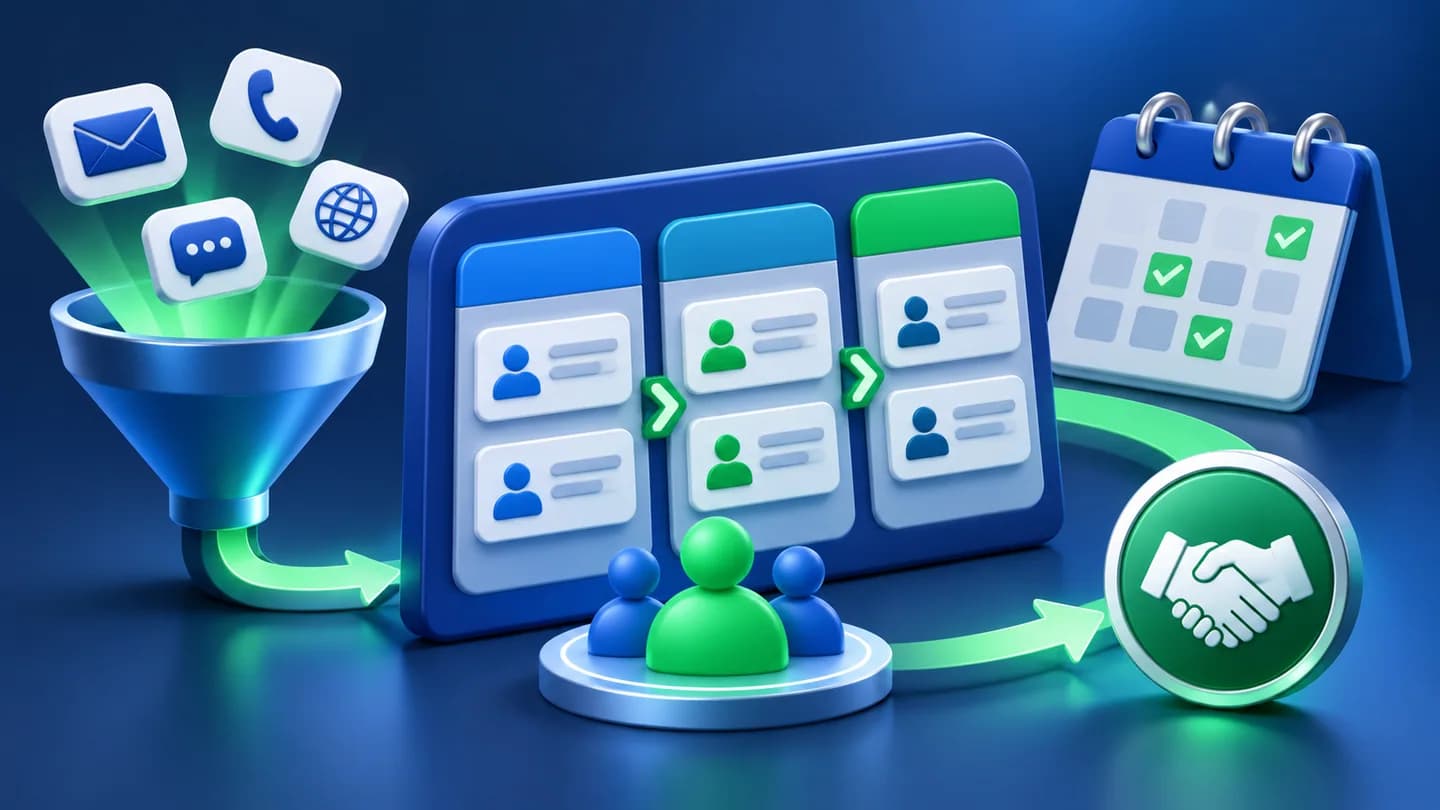
Problems lead management software solves
- Leads arrive in a dozen places such as inboxes, ad forms, calls and WhatsApp, and nobody has a complete list.
- The same enquirer is contacted by two reps, or by none, because assignment is informal.
- Response takes hours or days, and the lead has already spoken to a competitor.
- Marketing cannot tell which campaign produced real buyers, only which produced form fills.
- Cold leads are dropped with no follow-up schedule, so potential demand is never revisited.
What lead management software should do
The capabilities to expect, and to check in any demo — whether you buy, configure or build.
Multi-source capture
Collects leads from website forms, landing pages, Meta and Google lead ads, call tracking, WhatsApp and imported lists into one record with source and campaign tags.
Deduplication and enrichment
Matches on phone and email to avoid duplicate records and fills in missing company or location data where possible.
Lead scoring
Scores leads by fit and behaviour, such as budget, location, page visits or replies, so reps call the most promising first.
Routing and assignment
Assigns leads by territory, product line, language or round-robin, with reassignment if nobody acts within a set time.
Follow-up cadences
Schedules calls, emails and WhatsApp messages with reminders, and logs each touch against the lead.
Qualification checklist
Records need, budget, authority and timeline answers, and defines the point at which a lead becomes a pipeline opportunity.
Source and response reporting
Shows lead volume, response time, contact rate and conversion by campaign and by rep.
Who uses lead management software
How the lead management process works
The day-to-day process the software has to support, step by step.
Capture the enquiry
A form fill, call or ad lead creates a record with its source and campaign details.
Clean and score
The system checks for duplicates, adds missing information and gives the lead a fit score.
Route to an owner
The lead goes to the right rep by territory or product, and a timer starts for first response.
Contact and qualify
The rep calls or messages, records the outcome and completes the qualification questions.
Hand off or nurture
Qualified leads convert into opportunities in the sales pipeline; others go into a nurture list with a follow-up date.
Integrations to plan for
Systems lead management software commonly connects to. Confirm connector availability and any provider fees.
- Website forms and landing pages
- Meta Lead Ads / Google Ads
- IndiaMART / JustDial / 99acres
- WhatsApp Business API
- Cloud telephony / IVR
- Email marketing tools
- CRM and sales pipeline
- Zapier / webhooks
Metrics worth tracking
- First-response time — speed of contact strongly shapes whether a lead engages
- Contact rate — shows how many leads are ever reached
- Lead-to-qualified rate by source — separates cheap leads from useful ones
- Cost per qualified lead — links ad spend to sales-ready demand
- Stale leads — leads with no activity show where follow-up is failing
India: compliance and market notes
- Collecting enquirers' phone numbers and emails is processing of personal data; under the Digital Personal Data Protection Act, 2023 you should state the purpose at the point of capture and obtain consent where it is the basis for processing.
- Commercial calls and SMS in India are subject to TRAI's telecom commercial communication rules, including sender registration for SMS and the Do Not Disturb preference register; lead lists must be screened accordingly.
- WhatsApp Business messaging requires opt-in under WhatsApp's own policy and approved templates for business-initiated messages.
General information, not legal or tax advice. Confirm how these apply to your business with your adviser.
Off-the-shelf or tailored?
A standard lead tool is enough when you run a few channels and a handful of reps. A custom build pays off when you need to ingest leads from portals with unusual formats, apply territory or dealer-based routing, enforce consent and DND checks before calls, or sync with an in-house ERP. Splicity can configure lead capture and routing or build integrations to your portals and telephony.
Pricing
Pricing is quote-based. It depends on the number of users and locations, the modules you need, integrations, data migration, hosting (cloud or your own servers) and the support level you choose. We scope it on a short requirements call and confirm everything in writing before work starts.
How to evaluate lead management
Before a demo, write down who owns each step of the workflow above, where today's data comes from and which decisions need approval. Then put these questions to every vendor, including us:
Questions to bring to your demo
- Demonstrate multi-source capture and deduplication and enrichment using a sample from our own business, including one exception case.
- Which of these integrations are available as standard, and which need configuration or development: Website forms and landing pages, Meta Lead Ads / Google Ads, IndiaMART / JustDial / 99acres?
- How does your setup handle this requirement: Collecting enquirers' phone numbers and emails is processing of personal data?
- How will we track first-response time, and can we export the underlying data?
- How are existing records imported and checked, and how do we get our data back if we change systems?
Confirm included features, supported platforms, implementation work and commercial terms in your proposal before purchase.
Questions, answered
What is the difference between lead management and a sales pipeline?
Lead management deals with raw enquiries: capture, cleaning, routing and first contact. A sales pipeline tracks qualified opportunities through stages such as proposal and negotiation. Leads that qualify move from one to the other.
Can leads from IndiaMART or JustDial flow in automatically?
Portals commonly offer email, API or webhook delivery of leads, but availability depends on your plan and the portal. Confirm the delivery method for each source before you rely on automation.
How should we handle consent for calling and messaging leads?
Record when and how the lead gave their details and for what purpose, and screen numbers against the DND register for commercial calls and SMS. For WhatsApp, follow opt-in rules. Seek legal advice for your specific use.
How does lead scoring work without a data science team?
Most teams start with simple rules such as budget range, city or product interest and adjust them from conversion data. A transparent rule set is easier to trust and tune than an opaque model.
Ready to grow with Lead Management
Tell us a little about your needs and our team will follow up to scope a demo and a quote for your setup.
Scope
Discuss your workflow
Demo
Review the fit
Quote
Confirm costs
Plan
Agree next steps
Plan your rollout
Discuss data migration, configuration and team onboarding.
Define requirements
Review access, data handling and recovery expectations.
Agree on support
Confirm support coverage and responsibilities in your proposal.